

Accounting software for Filipino businesses Simple Accounting
for a Brighter
Tomorrow.
Bookkeeping, sales, expenses, customers and financial
reports — all in one reliable and easy-to-use system.
Built for sari-sari stores, retailers, and growing businesses
in the Philippines.
- No credit card required
- 30-day free trial
- Easy setup
- Local support team
- Trusted byFilipino Businesses
- Easy to UseNo accounting experience needed
- Secure & ReliableYour data is protected
- Accessible AnywhereUse on laptop, tablet or mobile
Why choose Dell's Accounting?
More than just
accounting software.
We understand the needs of Filipino businesses. That's why
Dell's Accounting is designed to be simple, practical, and
affordable — so you can focus on growing your business.
Save Time
POS sales post to your books — no retyping.
Reduce Errors
Entries must balance before they post.
Make Better Decisions
See profit and cash flow any time.
Features
Everything you need, all in one place.
From daily bookkeeping to advanced reports, Dell's Accounting
gives you the tools to stay in control.
Sales & Revenue
Sales flow in from Tindahan POS.
Expenses
Record and categorize business expenses.
Customers
Track receivables with aging per suki.
Suppliers
Track payables and supplier payments.
Financial Reports
P&L, balance sheet, cash flow, trial balance.
Bank & Cash
Cash on hand and cash in bank, kept apart.
POS Integration
Works with Dell's Tindahan POS.
Multi-User Access
Control access with roles and permissions.
ang negosyo
kapag malinaw
ang numero.Our motto at Dell’s
Built for real businesses
Designed for the way
Filipinos do business.
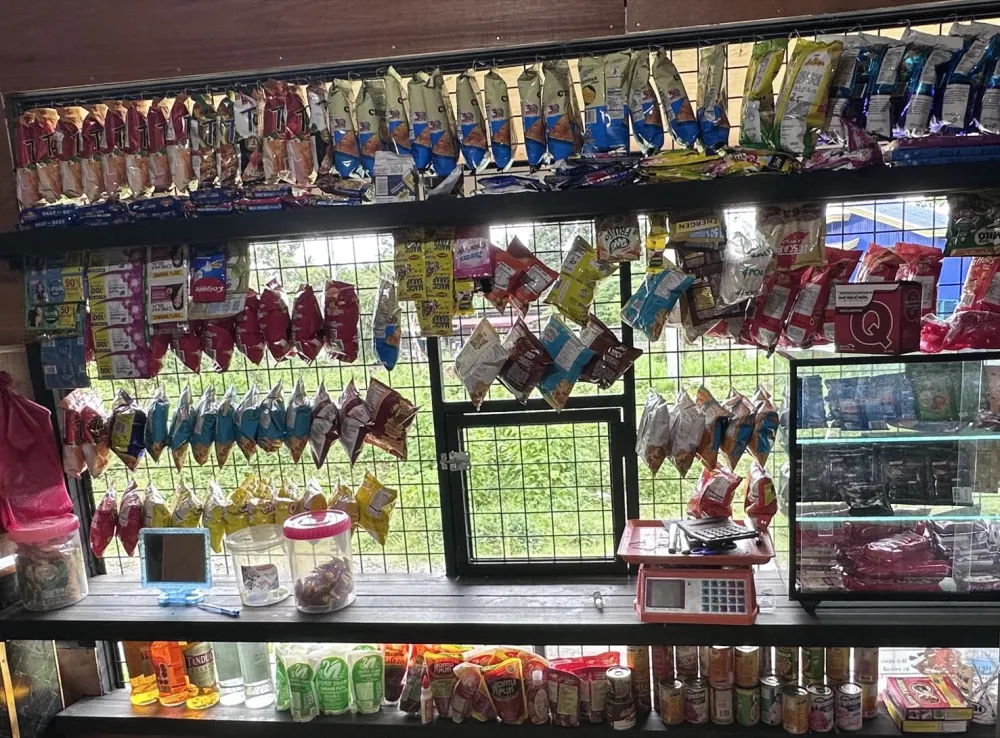
Whether you run a sari-sari store, retail shop, farm, or growing
enterprise, Dell's Accounting helps you keep your finances organized
so you can focus on what matters most.
Use Any Device
Laptop, tablet or phone.
Local Support
We're here to help.
Affordable Pricing
Made for Filipino businesses.
Built for the Philippines
With local business needs in mind.
One Ecosystem. A Stronger Business.
Dell's Software products work together to give you a complete business solution.
- Tindahan POSManage sales
and transactions. - InventoryKnow your stock
and avoid shortages. - AccountingYou’re hereUnderstand your numbers
and grow your business.
Real insights. Real growth.
Your business
at a glance.
Get real-time insights into your sales,
expenses, and cash flow. Make data-driven
decisions with clear, easy-to-understand
reports.
- Real-time financial overview
- Profit & loss and balance sheet
- Track your cash flow
- See your top expenses
- Monitor customer balances
Pricing
Simple and transparent pricing.
The books are ₱599 a month. Add stock control when your shop needs it. Free for 30 days.
- Free for 30 days
Starter
The books, on their own
₱599/month
- The full ledger: journal, accounts, periods
- P&L, balance sheet, cash flow, trial balance
- Receivables and payables with ageing
- Expenses, suppliers and customers
- Audit trail and per-person permissions
- 30-day free trial, no card
Growth
The books, plus your stock
₱799/month
- Everything in Starter
- Receiving and supplier deliveries
- Purchase orders and stock counts
- Unit conversions, pack to piece
- Stock transfers between branches
- 30-day free trial, no card
Business
For more than one location
Let's Talk
- Everything in Growth
- Books kept per branch and consolidated
- Help migrating your existing records
Only need the shop counter, no books? Tindahan POS is sold on its own from ₱299 a month. See Tindahan POS pricing
Prices in Philippine pesos, indicative pending launch. VAT treatment depends on your registration.
FAQ
Frequently Asked Questions
Still have questions?Contact our team
Is Dell's Accounting suitable for small businesses?
Yes. It was built for sari-sari stores and small shops. The dashboard shows sales, cost of goods, expenses and net income for any period in plain words, and where your cash, utang and stock stand.
Can multiple employees use the system?
Yes. Each person signs in with their own account, and you choose what they can see and do on the Permissions screen. The Audit Trail records who changed what, and when.
Can I connect this with Dell's POS or Inventory?
There's nothing to connect — your Tindahan POS shop and your books are the same account. Sales, utang payments, deliveries and supplier payments from the POS are posted to your books from the Post from POS screen, and that is what fills your stock and cost-of-goods figures.
What reports are available?
Profit & loss, balance sheet, cash flow and trial balance, plus the general ledger and aging of what customers owe you and what you owe suppliers.
Do I need accounting experience to use it?
No. POS activity becomes journal entries for you, expenses are a short form, and an entry that doesn't balance can't be posted. When you're ready, you can close a month so its figures stay put.
Is my business data secure?
Your books are private to your business: every request is checked against your account and role at the database, not just in the app. Changes are logged in the Audit Trail, and closed periods can't be edited unless someone reopens them — which is logged too.
Request a demo
See Dell’s Accounting
with your own business.
Tell us a little about your business and we’ll show you how your sales, expenses and utang turn into clear numbers.
- Tell us about your businessWhat you sell, and how you keep your books today.
- We message or call youUsually within one working day, to set a time.
- See your numbers in Dell's AccountingA short walk-through — no cost, no obligation.
Mas mabilis mag-chat? Messenger
Ready to take control of your business?
Your business deserves
better financial clarity.
Start your free trial today and experience a simpler
way to manage your finances.